A Complete Guide to
Torvyon Blockchain
Setup, wallets, and TorvyonKey — everything needed to start holding and sending ₜBit, on the website or the desktop app.
Table of Contents
- 1. What Is Torvyon?Overview
- 2. Creating a WalletSetup
- 3. Logging In & TorvyonKey on the WebsiteSetup
- 4. TorvyonKey on the Desktop AppSetup
- 5. Sending, Receiving & Buying ₜBitUsage
- 6. Security Best PracticesReference
- 7. Understanding TokenomicsReference
- 8. GlossaryReference
- 9. Resources & LinksReference
What Is Torvyon?
Torvyon is an independent proof-of-work blockchain with its own consensus rules and its own native coin, ₜBit. Blocks are mined — not pre-allocated — with a fixed 210,000,000 ₜBit max supply and a decaying issuance schedule (reward decreases ~2.09% every year through a smooth, continuous curve rather than a sudden cut) enforced directly in the chain's consensus code. There is no admin key that can mint extra coins beyond what consensus allows, and no discretionary allocation hidden in a smart contract nobody reads — the fixed genesis allocation and the full issuance schedule are both public and compiled directly into the software every node on the network independently runs.
That last part is worth sitting with for a moment, because it's the actual reason proof-of-work chains are trusted the way they are: nobody has to take Torvyon's word for the supply schedule. Anyone can download the node software, read the consensus code themselves, and verify that the numbers in this book match what the software actually enforces — or run a node and watch it happen, block by block.
Three things make up the everyday Torvyon experience:
- The Wallet — a mobile-first web app for holding, sending, receiving, and buying ₜBit.
- The Explorer — a public page for browsing every block, transaction, and address on the chain.
- TorvyonKey — a cold wallet: a password-protected
.tvykeyfile, encrypted with AES-256-GCM, that holds your private key and recovery phrase offline instead of leaving them sitting in one browser.
What ₜBit Can Do
- Send & receive in seconds — transfer ₜBit to any address on the network, confirmed within a handful of ~20-second blocks, for a small fee paid to the miner who includes it.
- Buy directly in the wallet — purchase ₜBit with a supported local payment method and have it land in your wallet automatically, no separate exchange account required.
- Hold in a true cold wallet — TorvyonKey keeps your private key and recovery phrase encrypted offline in one file, usable to log in from any device without ever leaving a key sitting in a browser.
- Run natively on desktop — Torvyon Wallet ships for macOS, Linux, and Windows, on both Intel/x64 and Apple Silicon/ARM64 machines, with automatic TorvyonKey drive detection built in.
- Verify everything yourself — every block, transaction, and address is browsable on the public Explorer, and the full consensus code behind it is open for anyone to read and run.
- Trust a fixed, transparent supply — the 210,000,000 ₜBit cap, the decay curve, and the genesis allocation are enforced by consensus code that every node checks independently, not by a company's word.
- See vesting happen on-chain — the Foundation and Ecosystem wallets unlock linearly, block by block, with every wallet's spendable balance checked against that schedule in real time, not just promised at signup.
This book covers day-one setup: creating a wallet and using TorvyonKey, on both the website and the desktop app — plus a deeper look at tokenomics and a glossary of terms toward the end.
Creating a Wallet
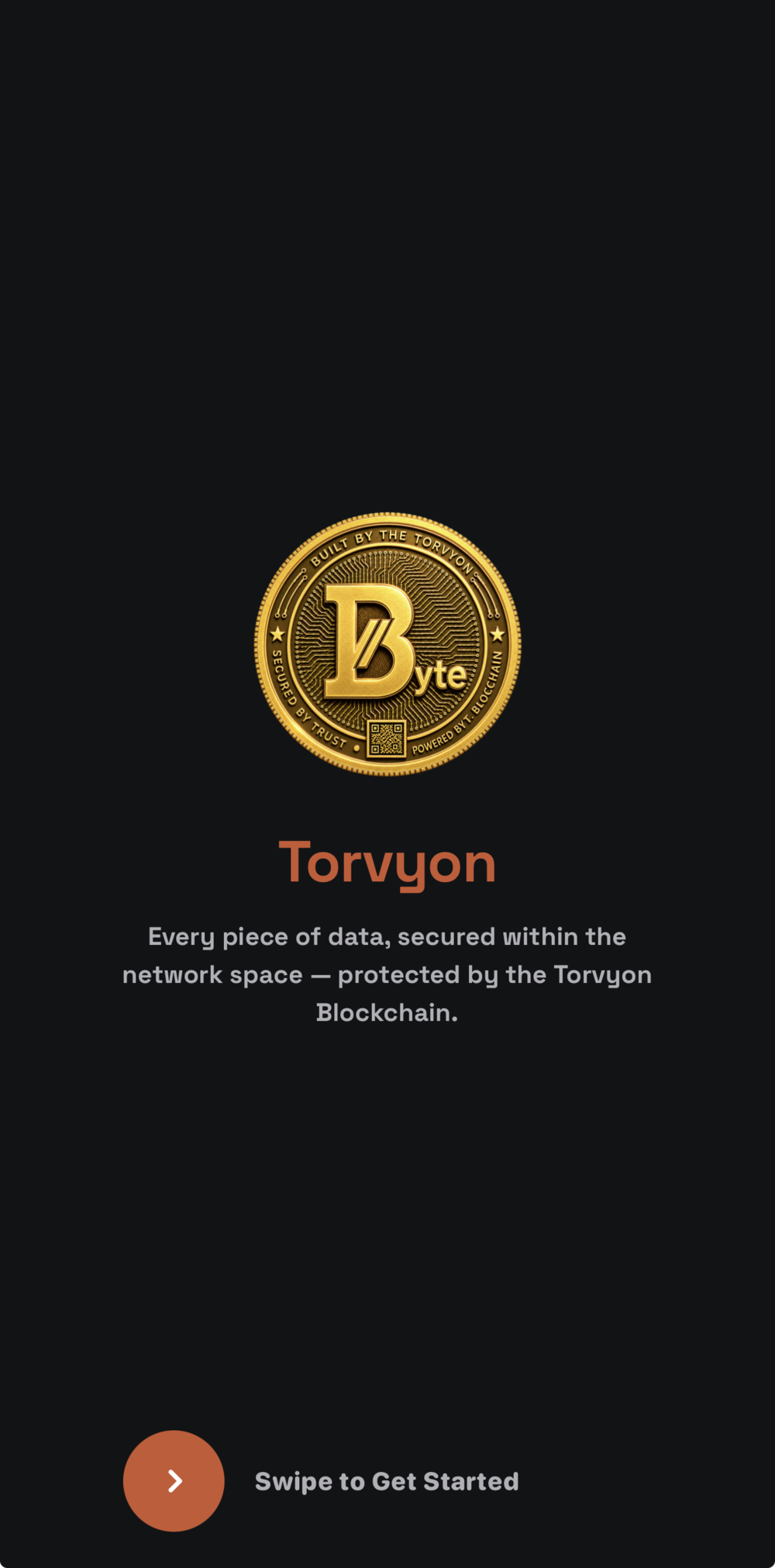
Open https://wallet.torvyon.tech. The first screen you'll see is the splash screen — swipe or tap to continue to login/create.
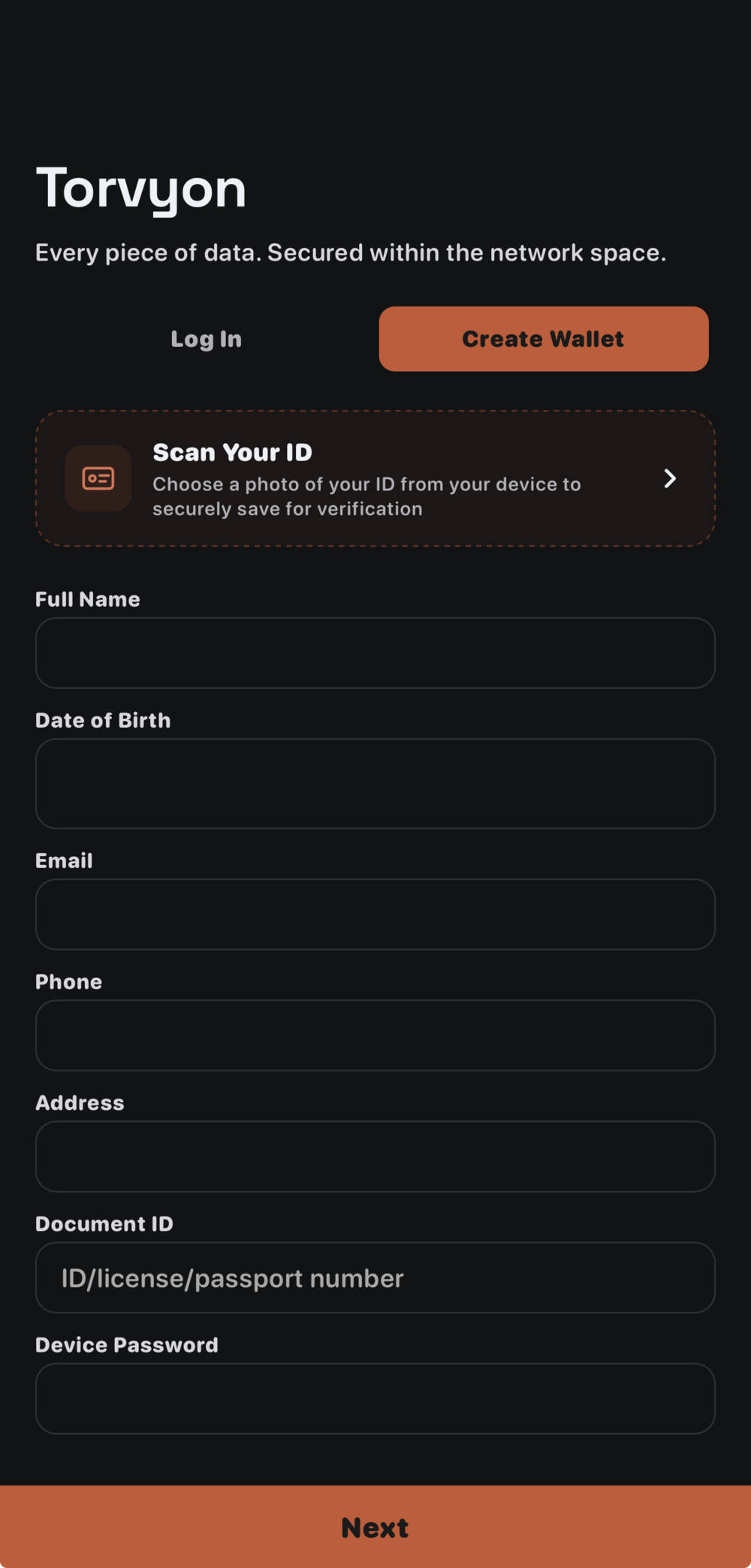
- Tap Create Wallet at the top of the login screen.
- Fill in your details — full name, date of birth, contact info — and set a device password. This password encrypts your key locally on this device.
- Tap Next to generate your wallet. Your private key and 24-word recovery phrase are generated entirely on your device — they are never sent anywhere.
- Write down your recovery phrase and store it somewhere safe. It's the only way to recover your wallet if you lose this device.
Logging In & TorvyonKey on the Website
Normal login
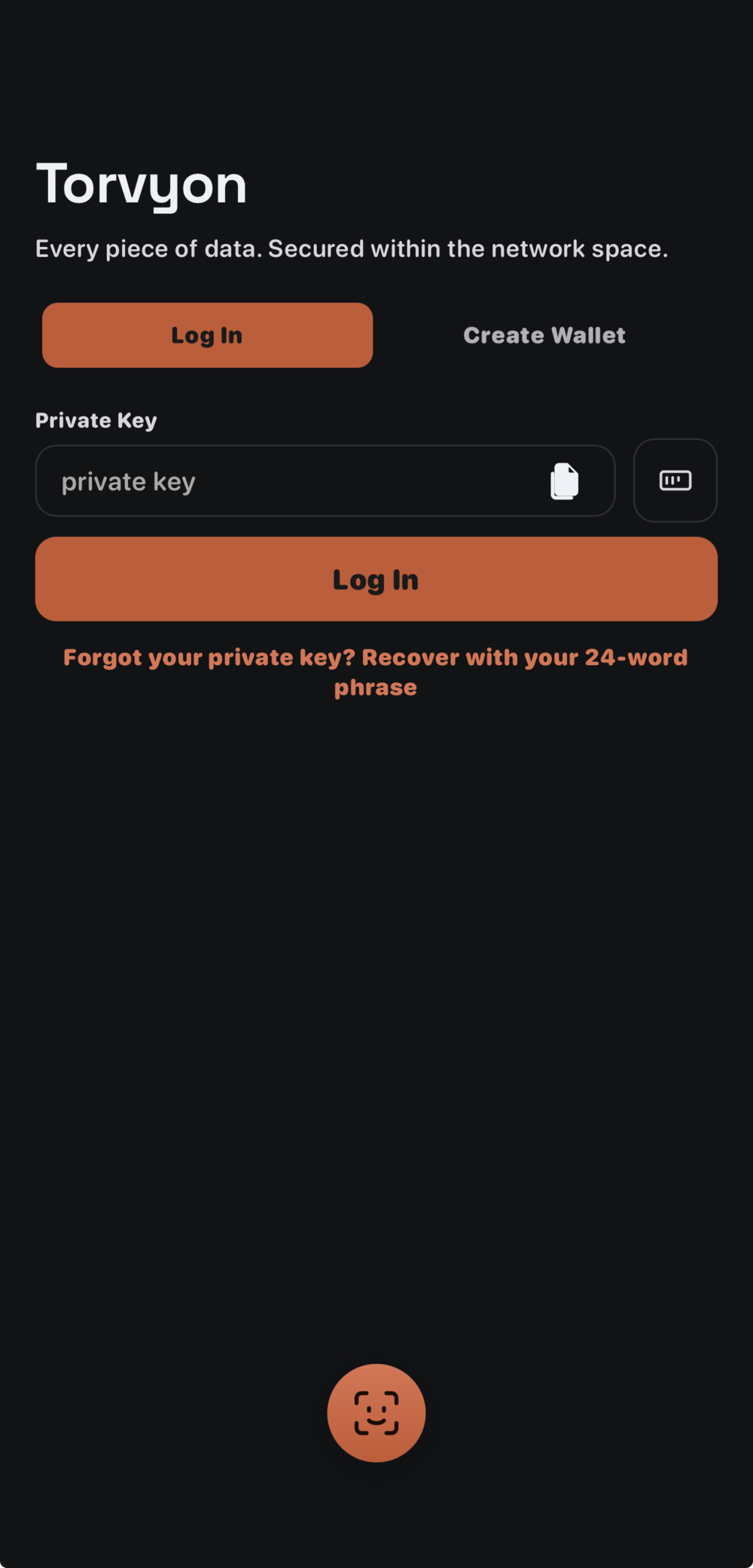
Enter your private key in the field shown in Fig. 3.1 and tap Log In. Forgot your key? Use Recover with your 24-word phrase below the button.
Using TorvyonKey on the website
TorvyonKey is Torvyon's cold-wallet format: your private key and 24-word recovery phrase, packed together and encrypted into one .tvykey file — held offline instead of sitting decrypted in a browser.
- From Account → Save Wallet, generate a password-protected
.tvykeyfile and store it wherever you keep cold backups — a USB drive, an encrypted external disk, anywhere off this device. - To log in with it later, tap the TorvyonKey icon on the login screen (Fig. 3.1), select the file, and enter the password you set when you saved it.
- The file holds both your private key and recovery phrase, encrypted together behind that one password — the file alone is useless without it.
Under the hood, the .tvykey file is encrypted with AES-256-GCM, using a key derived from your password via PBKDF2 (150,000 iterations, SHA-256) with a random salt and IV generated fresh every time you save. A wrong password isn't checked against a stored hash — it simply fails to decrypt, since the encryption's own authentication tag won't verify. The password is what actually protects the file if it's ever lost or copied.
TorvyonKey on the Desktop App
Torvyon Wallet is the native desktop version of the wallet, available for macOS, Linux, and Windows, on both Intel/x64 and Apple Silicon/ARM64 machines. It supports the same TorvyonKey cold-wallet flow as the website, plus automatic drive detection — if your .tvykey file lives on a plugged-in USB drive, the desktop app notices it as soon as it's connected, without needing a manual file picker.
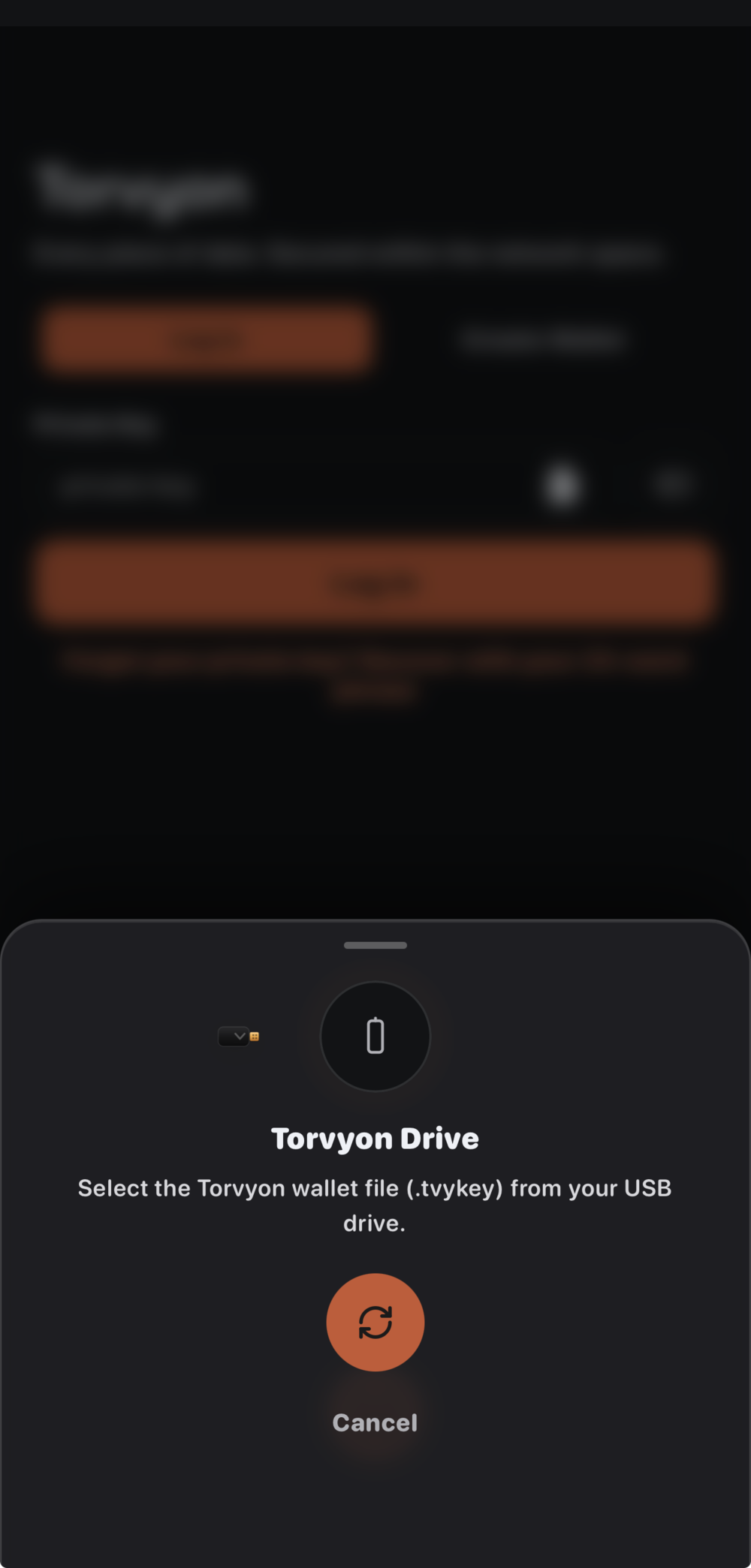
.tvykey cold-wallet file from it.- Install and open Torvyon Wallet on your computer.
- Connect the drive (or open the folder) holding your .tvykey cold-wallet file — the app detects a plugged-in USB drive automatically.
- Enter your TorvyonKey password when prompted to unlock it. This decrypts the AES-256-GCM vault locally — the password never leaves your device.
- Your wallet is now active in the desktop app — send, receive, and view activity exactly as on the website.
Sending, Receiving & Buying ₜBit
Send
From Home, tap Send, enter a recipient address (or scan their QR code), an amount, and a fee tier — Eco, Standard, or Fast — then confirm. A Torvyon address always starts with bt1, a fixed prefix that makes it instantly recognizable and hard to confuse with an address from an unrelated chain. Double-check the full address, not just the first few characters, before confirming — the wallet won't warn you if the destination is unfamiliar, since any valid address is a valid destination.
The fee tier you choose affects roughly how quickly your transaction is picked up for mining, not whether it eventually confirms — Torvyon's proof-of-work miners generally prioritize higher-fee transactions when a block has limited room, so Fast is the safer choice when timing matters, while Eco is fine for a transfer you're in no hurry about.
Receive
Tap Receive to show your own address as a QR code and as text, ready to share or have scanned. The same address can be reused for as many incoming payments as you like — nothing about receiving funds requires generating a new one each time.
Buy
Tap Buy to purchase ₜBit with a supported local payment method, choose an amount and fee tier, and confirm your order. Once payment is confirmed on the payment provider's side, ₜBit is released to your wallet automatically — no manual approval step on your end.
Confirmations
A transaction is first pending (broadcast, waiting to be mined), then confirmed once it's included in a mined block. Torvyon's target block time is 20 seconds, so most transactions confirm within a block or two under normal network conditions — Activity shows the live status of each one as it moves through that process.
Every transaction — sent, received, or bought — appears in Activity, with full detail: hash, from/to addresses, fee, and confirmation status.
Security Best Practices
Everything below follows from one fact: on a blockchain, whoever holds the private key controls the funds, permanently and without appeal. There's no "forgot password" reset, no customer support line that can reverse a mistaken transfer, and no company holding your ₜBit on your behalf that could restore access. That's what makes the chain trustworthy in the first place — but it also means the responsibility genuinely sits with you.
- Never share your private key, recovery phrase, or TorvyonKey password with anyone — Torvyon support will never ask for them.
- Write your 24-word recovery phrase on paper, not a screenshot or a note app — it's the only backup if this device is lost.
- Use a strong, unique TorvyonKey password — the file itself is only as safe as that password.
- Enable Face ID / Touch ID in Account settings for a fast, biometric-gated unlock layered on top of your password.
- Double-check addresses before sending — transactions on Torvyon, like any blockchain, can't be reversed once confirmed.
- Keep more than one backup copy of your recovery phrase, stored in physically separate locations — a single point of failure (one drawer, one safe) defeats the purpose of a backup.
- Be skeptical of anyone offering to "double your ₜBit" or asking you to send funds first to receive more back — this is the single most common scam pattern across every blockchain, not specific to Torvyon.
Understanding Tokenomics
Torvyon's monetary policy is fixed at the consensus level — no vote, admin key, or company decision can change it after the fact. This chapter walks through exactly how ₜBit comes into existence and where the current supply is allocated.
The 210,000,000 ₜBit cap
Every ₜBit that will ever exist falls into one of two categories: a fixed 21,000,000 ₜBit genesis allocation, split between the Foundation, Ecosystem, and Liquidity wallets, plus 189,000,000 ₜBit released gradually through block rewards over time. Those two numbers aren't independent — the reward-decay curve was deliberately calibrated so the two add up to exactly 210,000,000, not an approximation.
Block rewards: decay, not halving
Rather than cutting the block reward sharply at fixed intervals, Torvyon's block reward decays smoothly — about 2.09% less every year — starting from 2.5 ₜBit per block. This continuous curve avoids sudden emission cliffs, spreading issuance more evenly over the chain's lifetime.
Genesis allocation & vesting
- Foundation — 10.5M ₜBit, released linearly over 4 years. Nothing is available all at once; a little more unlocks with every block, continuously, not in a single cliff.
- Ecosystem — 6.3M ₜBit, same 4-year linear vesting — reserved for grants, partnerships, and ecosystem growth.
- Liquidity — 4.2M ₜBit, fully unlocked from genesis — intended to seed real trading liquidity rather than sit locked.
Vesting is enforced by every node's own validation logic, not by a promise — a transaction attempting to move more than the currently-unlocked amount from a vesting wallet is rejected by the network itself, the same way an insufficient-balance transaction would be.
Glossary
Address — a public identifier (always starting with bt1) that funds can be sent to. Safe to share freely; it reveals nothing about the private key that controls it.
Block — a batch of confirmed transactions, permanently added to the chain roughly every 20 seconds.
Confirmation — the state a transaction reaches once it's included in a mined block. More blocks built on top make it progressively harder to reverse.
Consensus — the shared rules every node enforces independently, so the entire network agrees on one history without needing to trust each other.
Fee — a small amount paid per transaction, going to whichever miner includes it in a block.
Genesis block — the very first block of the chain, block 0, from which every later block descends.
Mining / Proof of Work — the process by which new blocks are produced: computers compete to solve a difficulty-adjusted puzzle, and the winner earns that block's reward.
Tovin — ₜBit's smallest on-chain unit, exactly 1/100,000,000th of one ₜBit. All balances and transfers are ultimately tracked in tovins under the hood, so amounts can be split with full precision.
Private key — the secret value that proves ownership of an address and authorizes spending from it. Never shared, never transmitted.
Recovery phrase — a 24-word backup of your private key, generated once at wallet creation. The only way to restore a wallet on a new device.
TorvyonKey — Torvyon's cold-wallet format: a password-protected .tvykey file, encrypted with AES-256-GCM (key derived via PBKDF2, 150,000 iterations), that holds your private key and recovery phrase offline and can be used to log in from any device without leaving a key in the browser.
Vesting — a schedule that unlocks a wallet's balance gradually over time rather than all at once, enforced directly by the network's consensus rules.
8Resources & Links
- Main Site — https://torvyon.tech
- Wallet — https://wallet.torvyon.tech
- ₜBit Website — https://bit.torvyon.tech
- Block Explorer — https://explorer.torvyon.tech
- Supply API — https://api.torvyon.tech/api/supply
- Whitepaper — available from the main site